Your prompt library. Organized.
Everything a prompt library needs
No bloat. Just what speeds up your daily work with prompts.
WYSIWYG editor
Write prompts with formatting and autosave. Copying preserves the structure (HTML and plain text).
Snippets
Save reusable fragments once and insert them into any prompt with the # shortcut.
Version history
Every change is a snapshot. Roll back to any previous version with one click.
Multistep mode
Split a long prompt into named phases and copy each one separately when you work step by step.
Projects and order
Group prompts into projects, mark them with colors, pin them, and search by name.
Quick copy
Copy straight from the list without opening the editor. Favorites and recents are at hand.
Who it's for
If you work with AI every day and reuse the same prompts again and again, Prompt Panel keeps them in one organized, versioned place.
Content & marketing
Generate posts, briefs, and product copy with AI from on-brand templates. Save tone and format snippets once and drop them in with #.
Developers & AI builders
Version your system prompts and your code-review or test-generation prompts. Split research and refactor flows into multistep phases.
Prompt engineers & power users
Iterate on prompts and keep every variant. Compare versions, restore an earlier one, and reuse what works across models.
Founders & freelancers
One home for every prompt you rely on, across clients and projects. Find it by name and restore any earlier version.
A look inside
Real screens from the app — your editor and projects, multistep phases, reusable snippets, and version history.
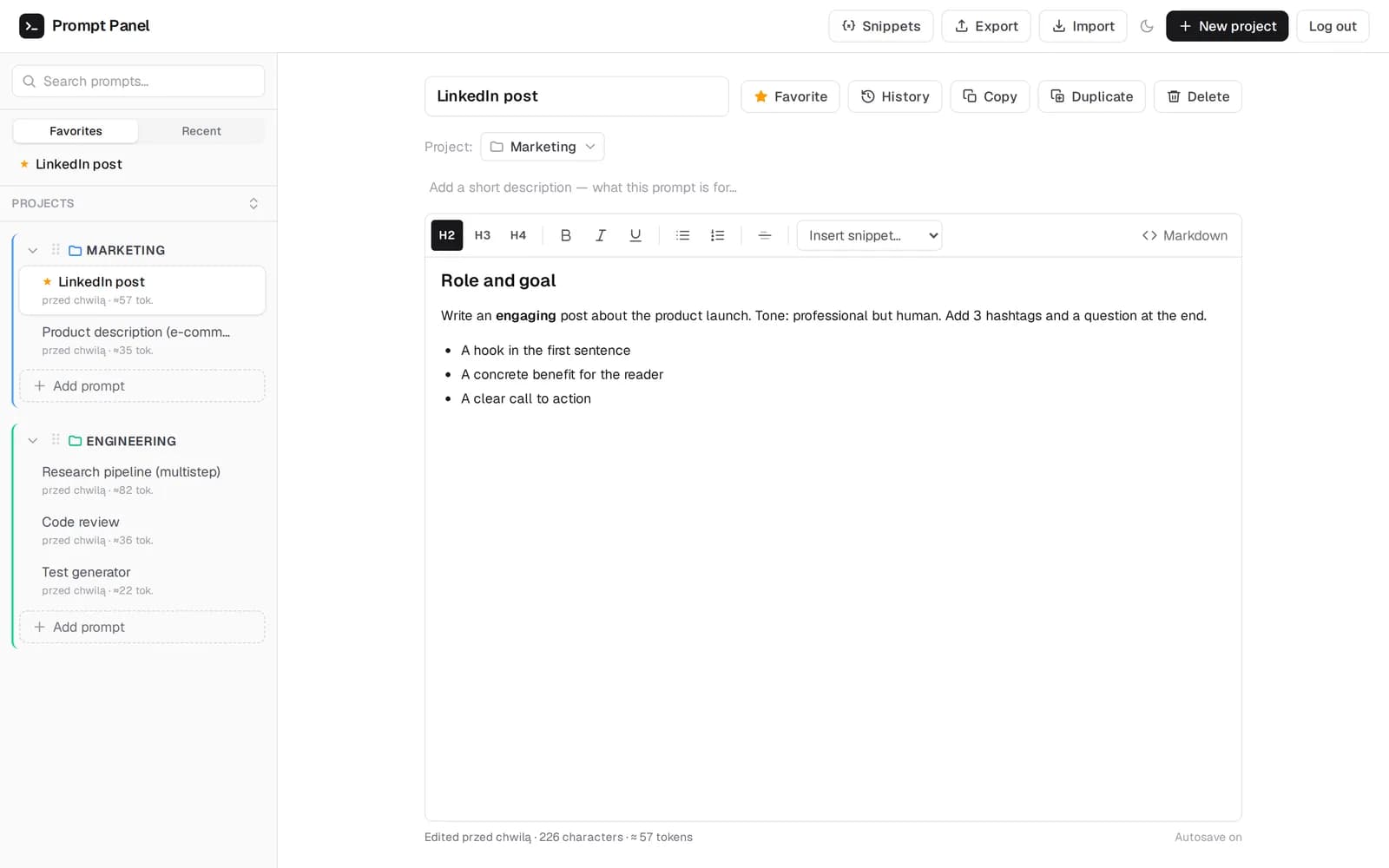
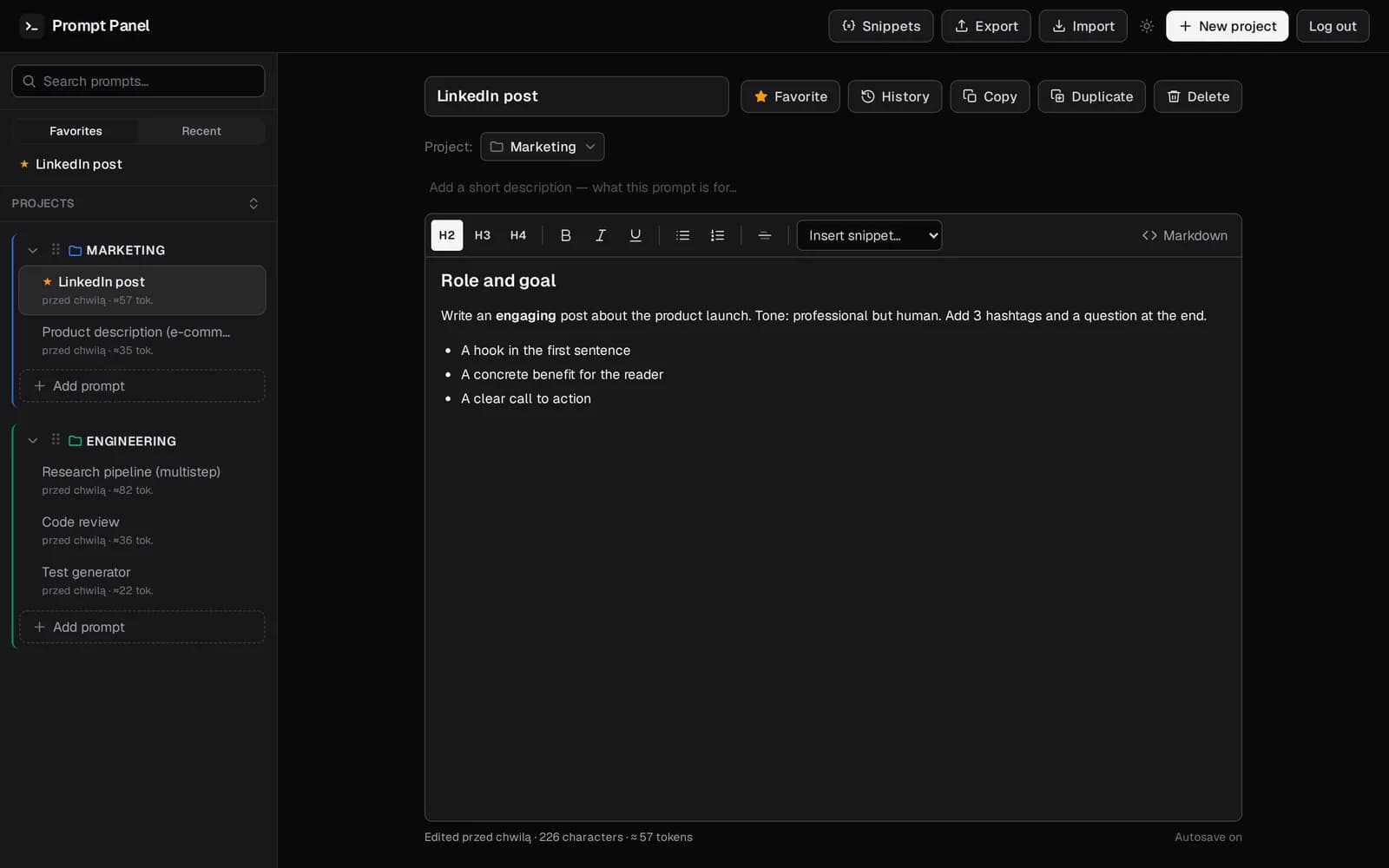
Editor & projects
Write in a clean WYSIWYG editor with your projects and prompts one click away. Autosave keeps everything current.
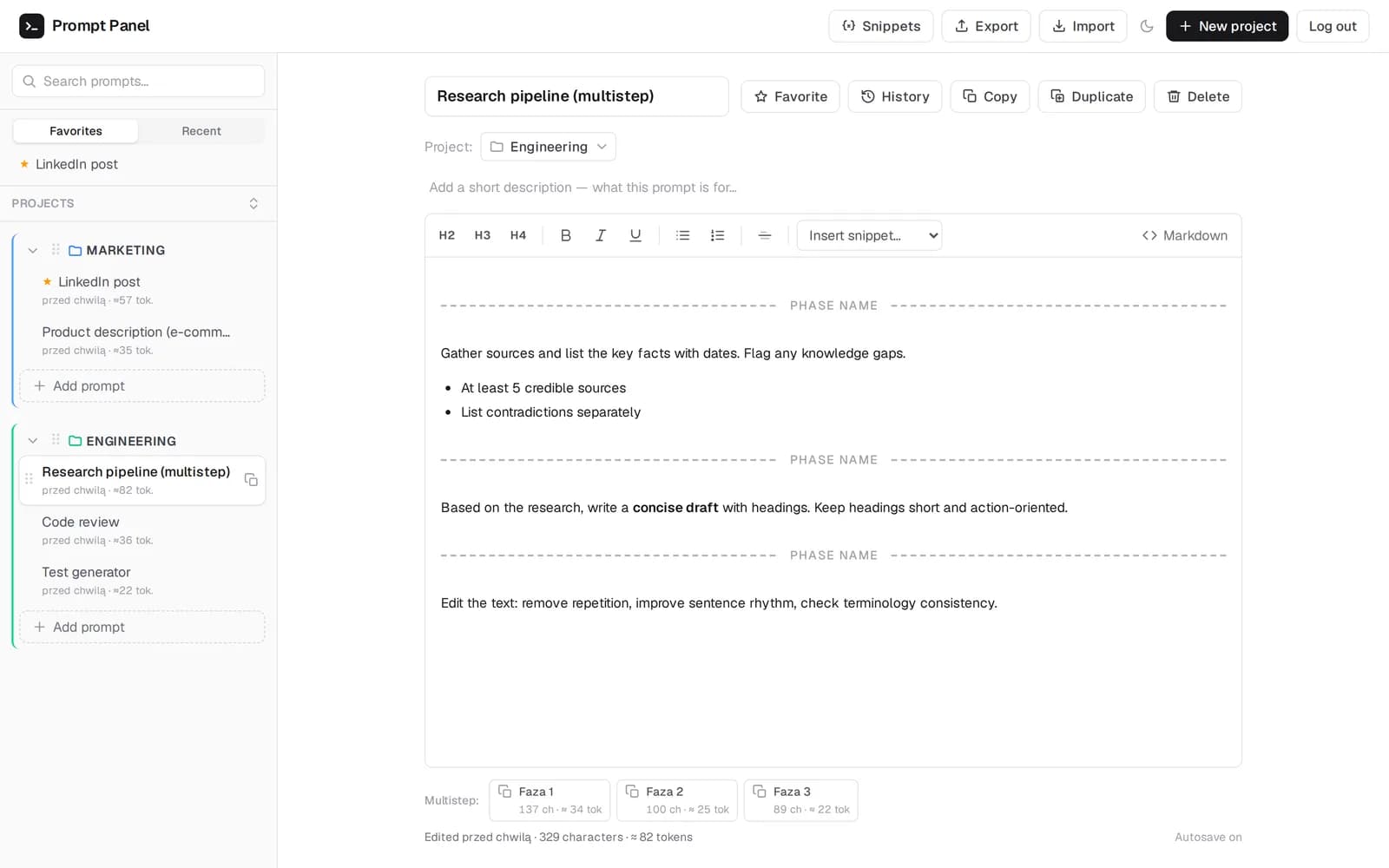
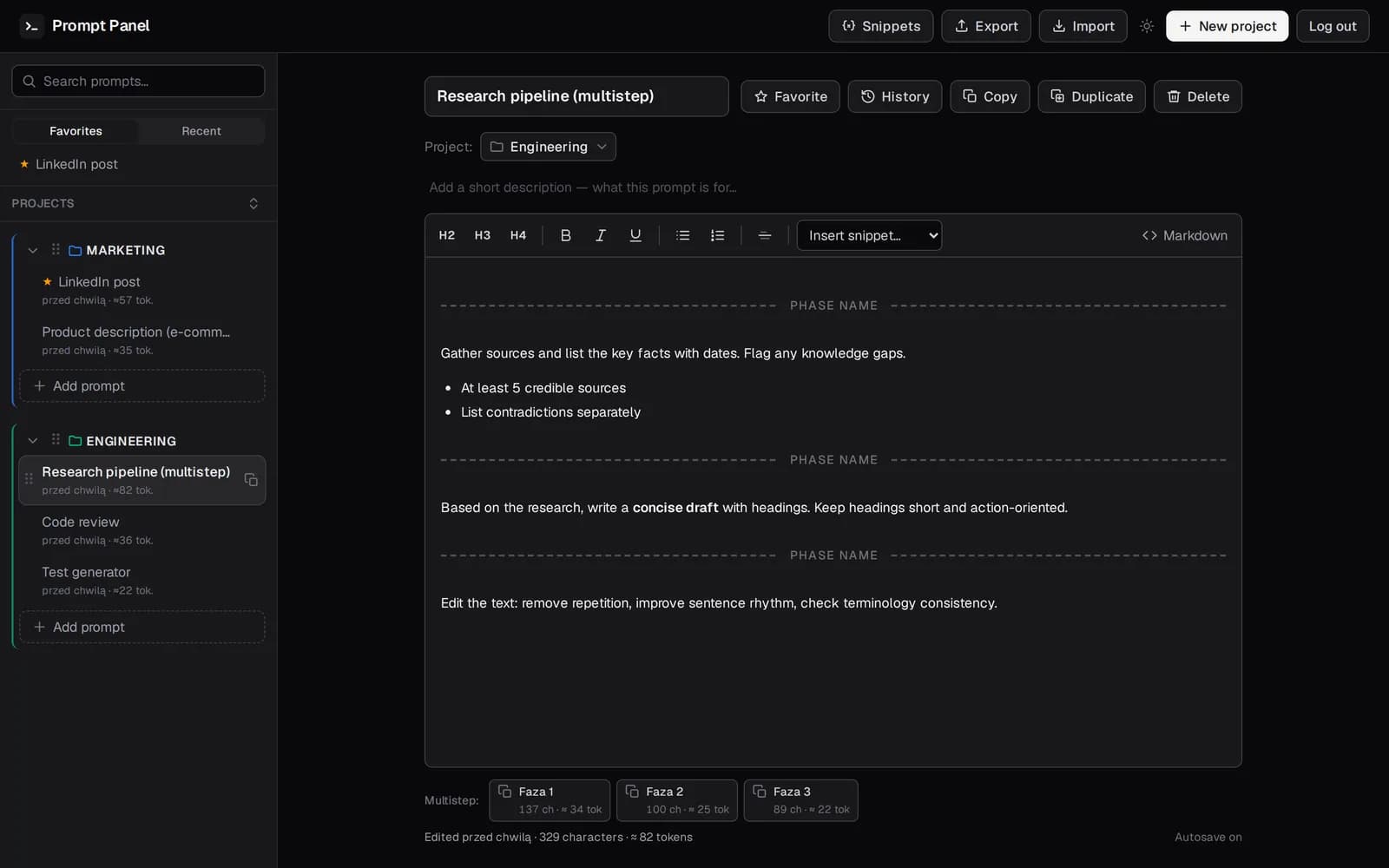
Multistep phases
Split a prompt into phases and copy each one separately — built for chained, multi-step workflows.
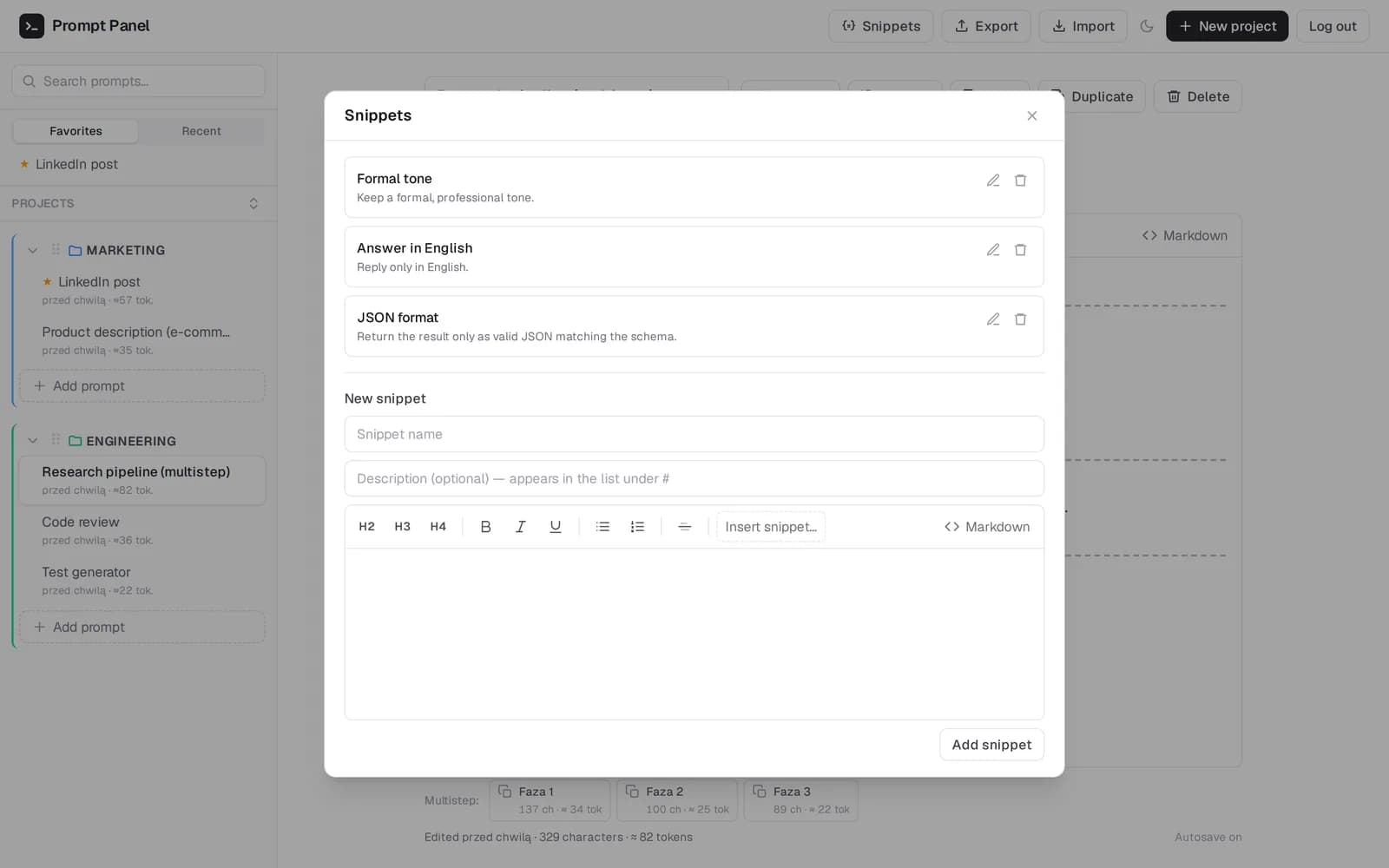
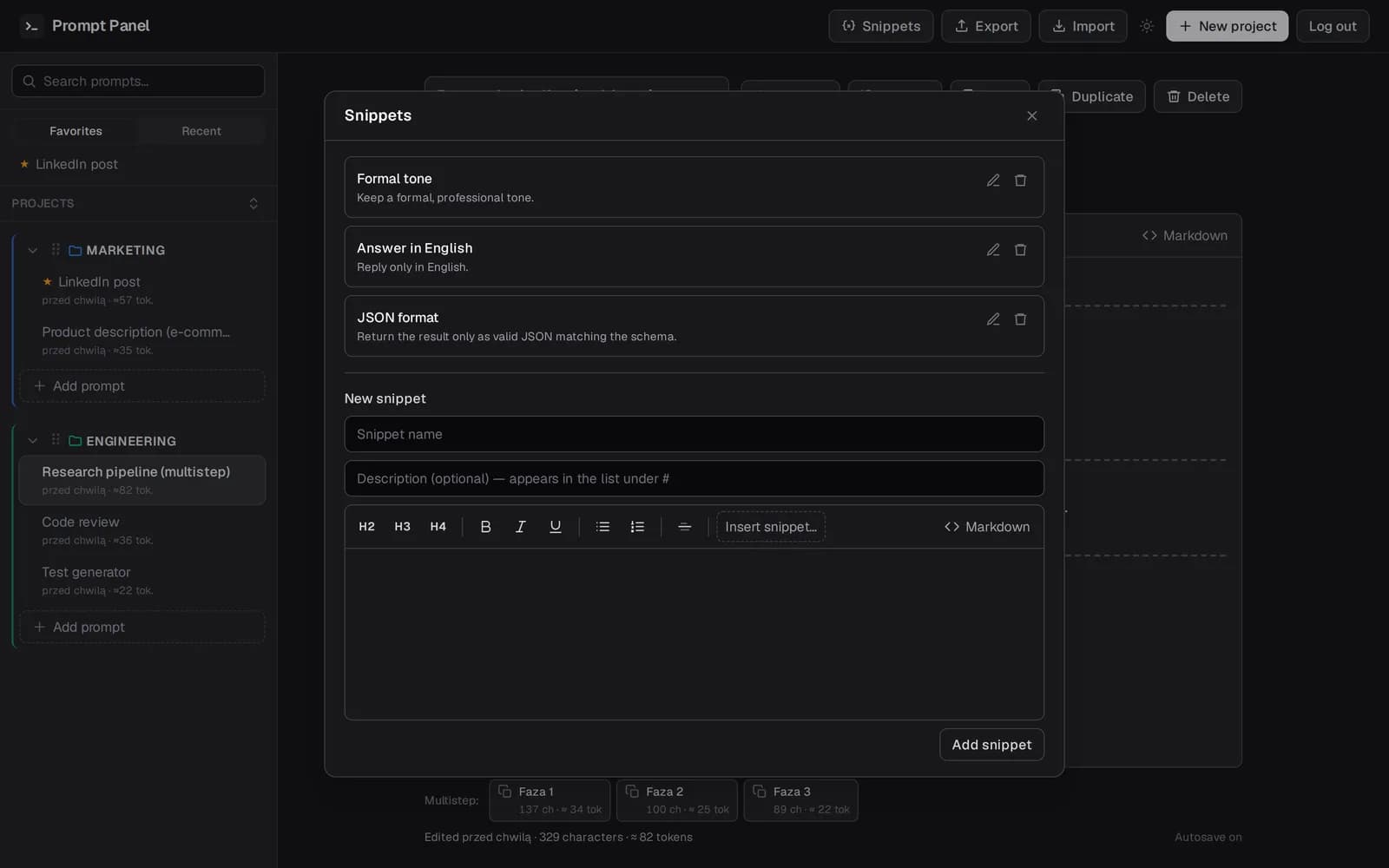
Reusable snippets
Save the instructions you reuse and drop them into any prompt. One source of truth for your boilerplate.
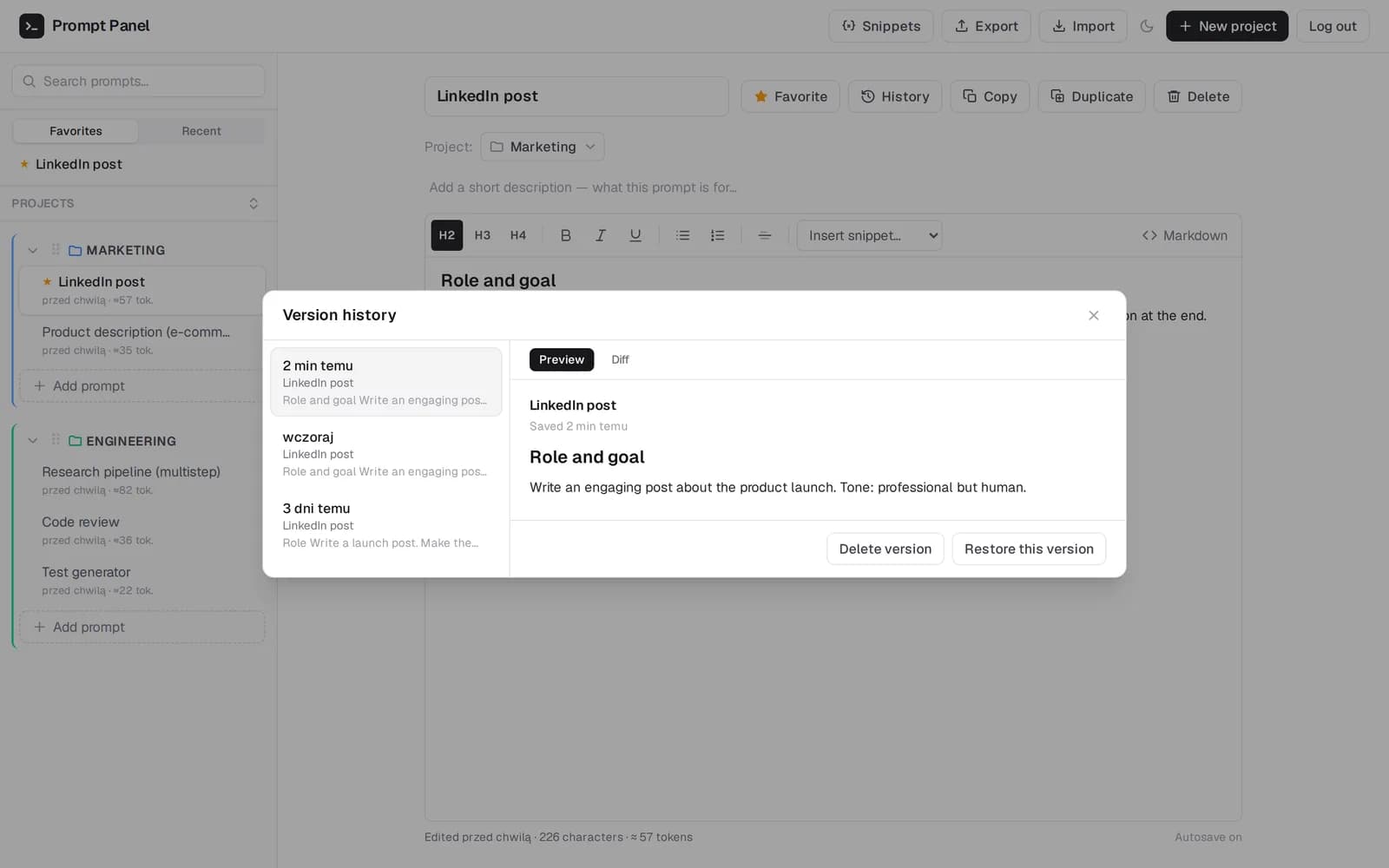
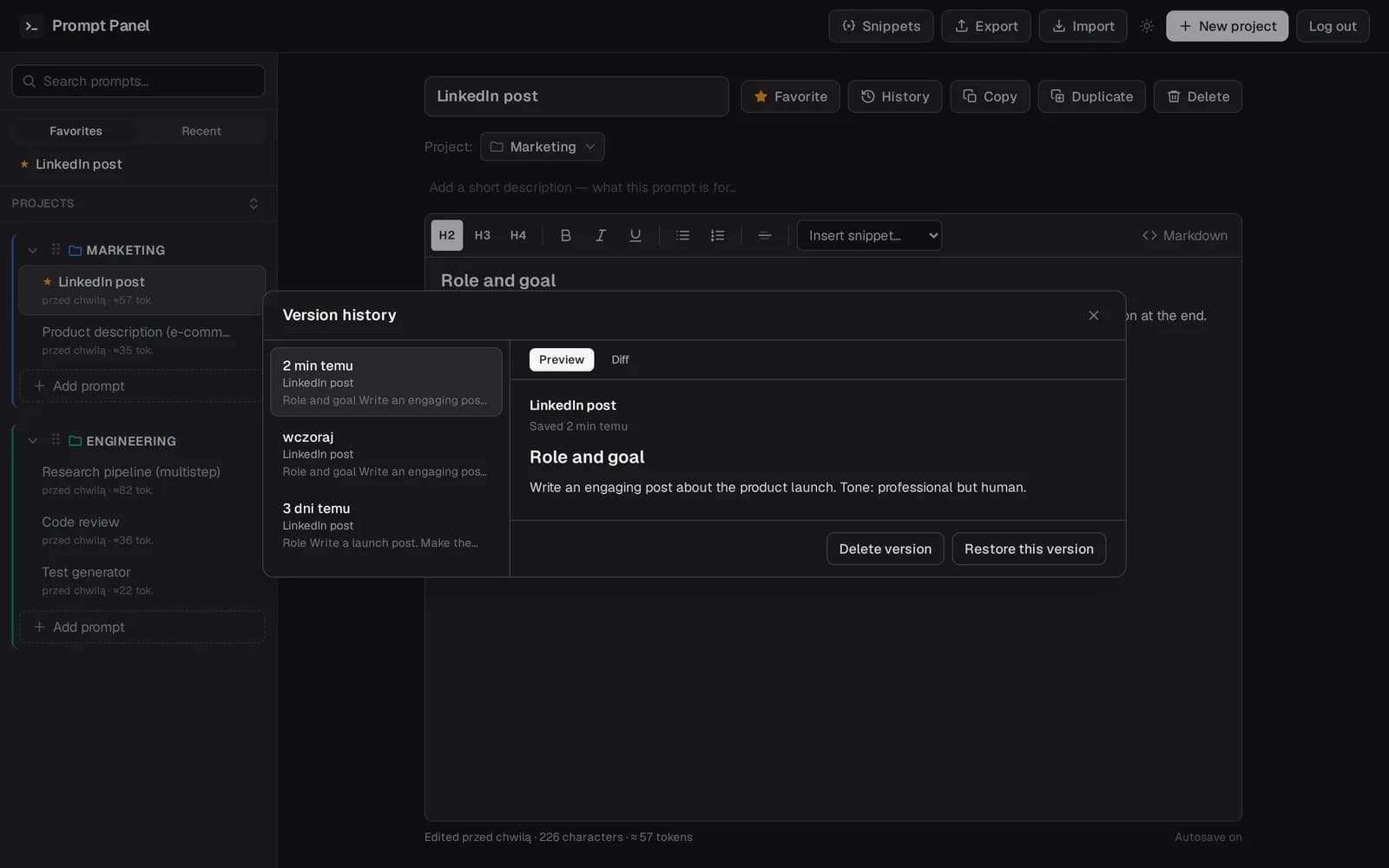
Version history
Every edit is snapshotted. Compare versions with a diff and restore any earlier one in a click.
How it works
Three steps from an empty account to a ready, versioned library.
- 1
Get your invite and sign up
Once you're invited, creating an account takes a moment. Each user sees only their own data.
- 2
Add prompts in the editor
Format content, use snippets, split into phases. Autosave takes care of the rest.
- 3
Copy to your model in one click
The finished prompt goes to the clipboard as plain text and HTML — paste it wherever you need.
Frequently asked questions
Is it free to use?
Yes — it's free during early access. Access is invite-only for now, so request an invite and we'll get you in.
Are my prompts private?
Yes. Once signed in, you only see your own projects, prompts, and snippets — data is isolated per account.
Does Prompt Panel generate content with AI?
No. Prompt Panel organizes, edits, and versions your prompts. Generation is left to the models — we take care of the library.
Does it work on mobile?
Yes. The interface is fully responsive, with light and dark themes.
Built to be trusted
Your prompts are yours. Here's how Prompt Panel keeps them private, portable, and safe.
Private by default
Once you sign in, you only see your own projects, prompts, and snippets. Data is isolated per account.
Your data is portable
Export your prompts whenever you want. No lock-in — your library always stays yours.
Secure by design
Passwords are hashed (PBKDF2), sessions are signed, and every connection is encrypted over HTTPS.
Free to start
Build your library for free during early access. Paid plans for power users are coming soon.
Start organizing your prompts
Request early access and bring your prompt library into one organized place.